
Frontend Developer Roadmap 2026: Complete Step-by-Step Guide
Your Job Mitra Team · 20 Aug 2026 · 17 min read
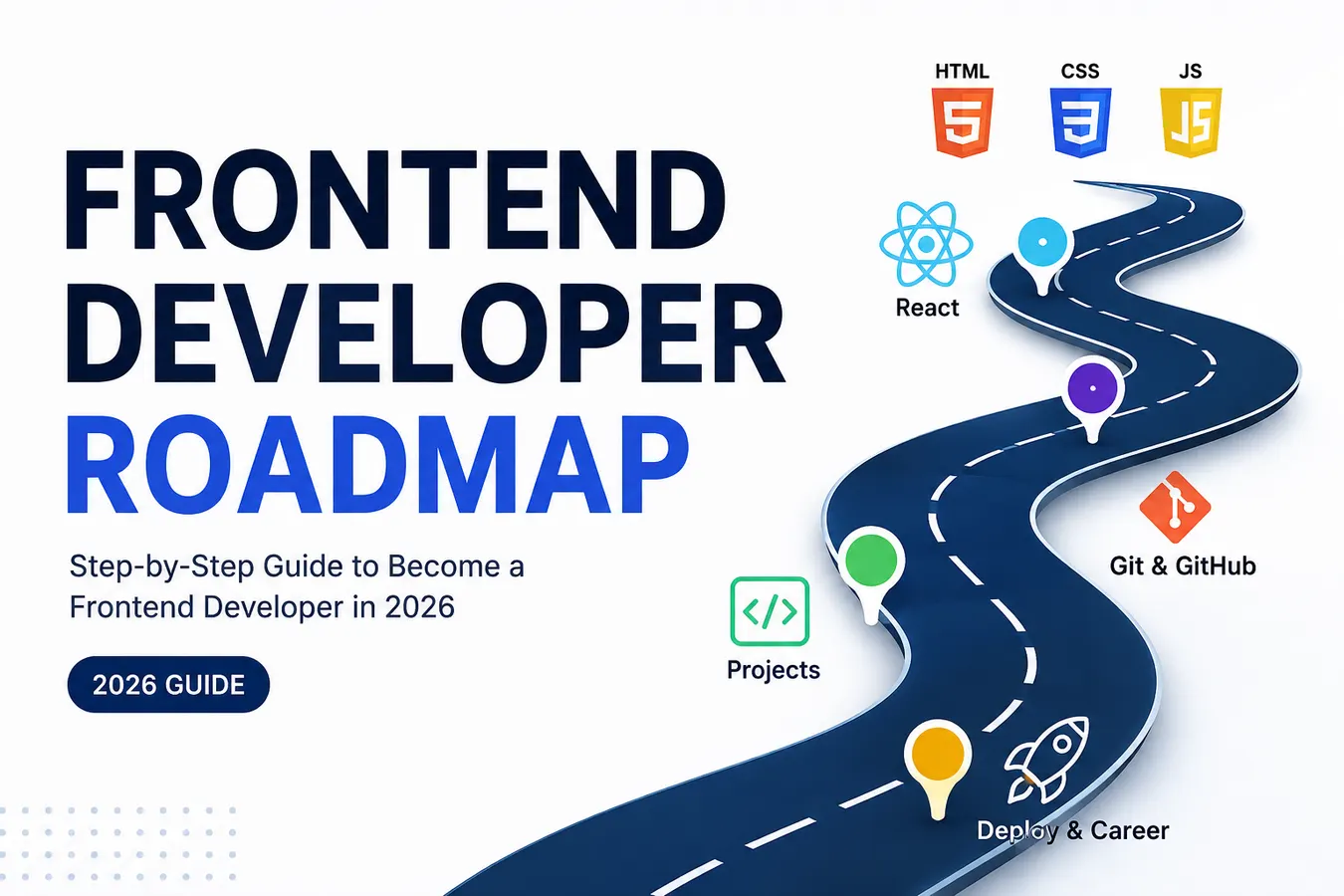
The web is everywhere — from banking and shopping to education, entertainment, and business. Behind every great website is a team of developers who turn ideas and designs into fast, interactive, and user-friendly digital experiences.
If you are a student, fresher, or someone planning to switch into tech, frontend development can be an excellent career path.
But there is one common problem:
Where do you actually start?
HTML? CSS? JavaScript? React? TypeScript? Git? APIs?
The number of technologies can feel overwhelming.
That is exactly why you need a roadmap.
This Frontend Developer Roadmap 2026 takes you from the fundamentals to building real-world projects and preparing for your first frontend development job.
You do not need to learn everything at once.
You need to learn the right things in the right order.
What Is Frontend Development?
Frontend development is the part of web development that focuses on everything users see and interact with in a web browser.
When you open a website and:
Click a button
Fill out a form
Navigate between pages
Browse products
Watch animations
Use a dashboard
Interact with menus
you are interacting with the frontend.
Frontend developers use technologies such as HTML, CSS, JavaScript, and modern JavaScript frameworks or libraries to create these experiences.
A good frontend developer does more than make a website look attractive.
They build interfaces that are:
Responsive
Accessible
Fast
Interactive
User-friendly
Maintainable
Compatible across different devices and browsers
Why Learn Frontend Development in 2026?
Frontend development combines technology, creativity, and problem-solving.
You can see the result of your work almost immediately, which makes it especially rewarding for beginners.
There are several reasons people choose frontend development:
1. You Can Start With the Basics
You do not need to learn complicated computer science concepts before creating your first webpage.
With basic HTML and CSS, you can already build a simple website.
2. You Can Build Real Projects
You can create:
Portfolio websites
Landing pages
To-do applications
Weather applications
Dashboards
E-commerce interfaces
Blog websites
Business websites
Projects give you practical experience and something meaningful to show employers.
3. The Skill Is Highly Transferable
Frontend skills can be useful across startups, agencies, product companies, SaaS businesses, e-commerce companies, and many other industries.
4. It Can Lead to Multiple Career Paths
Once you have strong frontend fundamentals, you can eventually explore areas such as:
Frontend Engineering
Full-Stack Development
UI Engineering
React Development
Web Application Development
Design Engineering
Frontend Developer Roadmap at a Glance
Here is the recommended learning sequence:
Step 1: HTML
↓
Step 2: CSS
↓
Step 3: JavaScript
↓
Step 4: Responsive Web Design
↓
Step 5: Git & GitHub
↓
Step 6: React.js
↓
Step 7: APIs & State Management
↓
Step 8: Real-World Projects
↓
Step 9: Testing & Performance
↓
Step 10: Deployment & Portfolio
↓
Step 11: Resume & Interview Preparation
↓
Step 12: Apply for Frontend Jobs
You can move through this roadmap at your own pace. Your goal should be understanding and building, not simply completing tutorials.
Step 1: Learn HTML
HTML stands for HyperText Markup Language.
It provides the structure of a webpage.
Think of HTML as the skeleton of a website.
Start with:
HTML document structure
Headings
Paragraphs
Links
Images
Lists
Tables
Forms
Buttons
Input fields
Semantic HTML
Important HTML concepts
Learn elements such as:
header
nav
main
section
article
footer
Semantic HTML helps create more meaningful and accessible webpages.
What Should You Build?
Start simple.
Build a personal profile page containing:
Your name
About section
Skills
Education
Projects
Contact form
Social links
Do not worry about making it beautiful yet.
The objective is to understand structure.
Step 2: Learn CSS
Once you understand HTML, it is time to make your websites look good.
CSS stands for Cascading Style Sheets.
CSS controls the visual appearance and layout of your webpage.
Learn:
Selectors
Colors
Fonts
Spacing
Borders
Backgrounds
Box model
Width and height
Positioning
Flexbox
CSS Grid
Media queries
Transitions
Basic animations
Master the CSS Box Model
The box model is one of the most important CSS concepts.
Understand:
Content → Padding → Border → Margin
If you understand how elements occupy space, many CSS layout problems become much easier to solve.
Step 3: Master Flexbox and CSS Grid
You cannot become a good frontend developer without understanding modern CSS layouts.
Flexbox
Flexbox is particularly useful for:
Navigation bars
Cards
Buttons
Aligning elements
One-dimensional layouts
Learn properties such as:
display
flex-direction
justify-content
align-items
gap
flex-wrap
CSS Grid
Grid is excellent for:
Dashboards
Product layouts
Image galleries
Complex page structures
Two-dimensional layouts
Do not just memorize properties.
Build layouts from scratch.
Try recreating the structure of websites you use every day.
Step 4: Learn Responsive Web Design
A website should not look perfect only on your laptop.
People access websites through:
Smartphones
Tablets
Laptops
Desktop computers
Large screens
Responsive design ensures your interface adapts to different screen sizes.
Learn:
Media queries
Flexible layouts
Relative units
Responsive typography
Flexible images
Mobile-first design
Breakpoints
A Great Beginner Exercise
Take one website you have already built.
Now make it work properly on:
Mobile → Tablet → Laptop → Desktop
This exercise will teach you more than simply watching another CSS tutorial.
Step 5: Learn JavaScript
This is where frontend development becomes much more interactive.
HTML gives your page structure.
CSS gives it style.
JavaScript gives it behavior.
For example, JavaScript can allow users to:
Open menus
Submit forms
Filter products
Change themes
Validate input
Load data
Update page content
Interact with web applications
JavaScript Topics You Should Learn
Start with the fundamentals.
Core concepts
Variables
Data types
Operators
Conditional statements
Loops
Functions
Arrays
Objects
Scope
Error handling
Then move into browser-related concepts.
DOM
Learn how JavaScript interacts with HTML through the Document Object Model (DOM).
Understand:
Selecting elements
Changing content
Changing styles
Creating elements
Removing elements
Event listeners
Form handling
Modern JavaScript
Once your fundamentals are strong, learn:
let and const
Arrow functions
Template literals
Destructuring
Spread/rest operators
Modules
Promises
Async/await
Fetch API
Array methods
Do not rush this stage.
JavaScript is the foundation for modern frontend development.
Step 6: Learn Git and GitHub
Once you start building projects, you need a reliable way to track your code.
That is where Git comes in.
Learn basic Git concepts such as:
Repository
Commit
Branch
Merge
Remote repository
Pull
Push
Clone
You should be comfortable with common commands such as:
git init
git add
git commit
git status
git push
git pull
You should also learn how to use GitHub to:
Store your projects
Share your code
Collaborate
Maintain your development history
Build a public portfolio
A GitHub profile with meaningful projects can become a useful part of your professional presence.
Step 7: Learn React.js
Once you are comfortable with HTML, CSS, and JavaScript, you can start learning a modern frontend library.
React.js is a popular choice and is widely used for building component-based user interfaces.
Do not start React after watching only a few JavaScript tutorials.
You should already understand:
Functions
Objects
Arrays
DOM concepts
Events
Promises
Async/await
Modules
ES6+ syntax
Otherwise, React may feel unnecessarily confusing.
React Topics to Learn
Start with:
Components
JSX
Props
State
Events
Conditional rendering
Lists
Forms
Hooks
useState
useEffect
Then progress to:
Component composition
Custom hooks
Routing
API integration
Error handling
Loading states
Reusable components
The goal is not simply to say:
"I know React."
The goal is to be able to build something useful with React.
Step 8: Learn APIs and Data Fetching
Real-world applications usually need data.
For example:
A weather application needs weather data.
An e-commerce application needs product data.
A social application needs posts and user data.
This information is often provided through APIs.
Learn:
What an API is
HTTP basics
GET requests
POST requests
JSON
Fetch API
Async/await
Error handling
Loading states
Build a small application that fetches data from a public API.
This is an important step toward building applications that feel like real products.
Step 9: Understand State Management
As applications become larger, managing data between components can become complicated.
Start with React's built-in state management.
Understand:
Component state
Props
Lifting state
Context API
After that, depending on the projects you build, you can explore tools such as:
Redux Toolkit
Zustand
Do not learn a state-management library simply because it appears on a developer roadmap.
Learn it when you understand the problem it solves.
Step 10: Build Real-World Projects
This is arguably the most important step in the entire roadmap.
You can watch hundreds of tutorials and still struggle to get your first job if you cannot build independently.
Projects demonstrate that you can apply what you have learned.
Beginner Projects
Start with:
1. Personal Portfolio
Include:
About
Skills
Projects
Resume
Contact information
2. To-Do Application
Practice:
DOM manipulation
State
Forms
Events
Local storage
3. Landing Page
Practice:
HTML
CSS
Responsive design
Layout
Intermediate Projects
Once you are comfortable, build:
Weather Application
Practice:
APIs
Async JavaScript
Error handling
Responsive UI
Expense Tracker
Practice:
Forms
State management
Data visualization
Local storage
Movie Search Application
Practice:
API integration
Search
Filtering
Loading states
Advanced Projects
Now build something closer to a real product.
Examples:
E-commerce frontend
Admin dashboard
Job portal
Learning management system
Social media dashboard
Project management application
A strong project should include:
Responsive design
Reusable components
API integration
Form validation
Loading states
Error handling
Clean UI
Good code organization
Deployment
Step 11: Learn Testing and Debugging
Professional development is not only about writing code.
You also need to know how to find and fix problems.
Learn how to use browser developer tools for:
Inspecting HTML
Checking CSS
Debugging JavaScript
Monitoring network requests
Checking console errors
Testing responsive layouts
You should also understand basic testing concepts.
As your applications become more complex, testing helps you catch bugs before users do.
Step 12: Learn Web Performance
A beautiful website is not enough if it loads slowly.
Learn the basics of:
Image optimization
Lazy loading
Reducing unnecessary JavaScript
Efficient rendering
Caching concepts
Code splitting
Performance measurement
You do not need to become a performance specialist on day one.
Start by understanding why performance matters and how your development decisions affect users.
Step 13: Understand Accessibility
Good frontend development should be accessible to as many people as possible.
Learn basic accessibility practices such as:
Semantic HTML
Keyboard navigation
Proper labels
Alt text for meaningful images
Sufficient color contrast
Accessible forms
Appropriate heading structure
Accessibility is not something you should add at the very end.
Build the habit from your first projects.
Step 14: Deploy Your Projects
A project sitting only on your laptop does not demonstrate much to an employer.
Learn how to deploy your applications.
Popular deployment platforms include services such as:
Vercel
Netlify
GitHub Pages
Learn how to:
Push your project to GitHub.
Connect the repository to a deployment platform.
Configure the build settings.
Deploy the application.
Test the live website.
Fix production issues.
Now you have something you can actually share.
Step 15: Build a Professional Portfolio
Your portfolio is your digital introduction to potential employers.
It does not need to contain twenty projects.
Three to five strong projects are better than twenty unfinished projects.
For each project, explain:
What you built
Why you built it
Technologies used
Key features
Challenges
What you learned
Live demo
GitHub repository
Your portfolio should also be:
Mobile-friendly
Fast
Easy to navigate
Professional
Free from unnecessary animations
Easy to understand
Step 16: Prepare Your Resume
Once you have projects and skills, create a focused resume.
For a fresher, your resume can include:
Contact Information
Name, email, phone, GitHub, LinkedIn, and portfolio.
Career Summary
A short summary focused on your skills and career direction.
Technical Skills
List the technologies you actually understand.
Projects
Highlight your strongest work.
Education
Include your degree and relevant academic information.
Certifications
Include certifications that are genuinely relevant.
Avoid filling your resume with technologies you cannot explain during an interview.
Step 17: Prepare for Frontend Developer Interviews
Your interview preparation should cover multiple areas.
HTML Questions
Be ready to explain:
Semantic HTML
Forms
Accessibility
Block vs inline elements
HTML document structure
CSS Questions
Prepare:
Box model
Flexbox
Grid
Positioning
Specificity
Responsive design
Media queries
JavaScript Questions
Understand:
var, let, and const
Scope
Closures
Functions
Arrays and objects
Promises
Async/await
DOM
Events
Event propagation
React Questions
Prepare:
Components
Props
State
Hooks
useEffect
Forms
Rendering
Component lifecycle concepts
API integration
Most importantly, be ready to explain the projects on your resume.
If you built a project, you should be able to answer:
Why did you build it?
How does it work?
What problems did you face?
What would you improve?
Why did you choose this technology?
How Long Does It Take to Become a Frontend Developer?
There is no fixed timeline.
Your learning speed depends on your previous experience, available time, consistency, and ability to build projects independently.
A possible learning path could look like this:
Months 1–2
HTML + CSS
Build static and responsive websites.
Months 3–4
JavaScript
Focus heavily on fundamentals and DOM manipulation.
Months 5–6
Advanced JavaScript + Projects
Build interactive applications and work with APIs.
Months 7–8
React
Learn components, hooks, routing, forms, and API integration.
Months 9–10
Advanced Projects + Git + Deployment
Build portfolio-level applications.
Months 11–12
Resume + Interview Preparation + Job Applications
Polish your profile and start applying consistently.
This is only an example. You can progress faster or slower.
Consistency matters more than the exact number of months.
A Practical Weekly Learning Routine
If you are a student, you do not need to spend ten hours every day coding.
Try creating a sustainable routine.
Monday–Friday
1 hour: Learn a concept
1 hour: Code
30 minutes: Practice problems or debugging
Weekend
Use the weekend to:
Build projects
Review the week's concepts
Fix bugs
Improve GitHub
Work on your portfolio
The key is to avoid spending all your time watching tutorials.
Follow this simple rule:
Learn → Build → Break → Debug → Improve
That is how development skills become real skills.
Common Mistakes Beginners Should Avoid
1. Tutorial Hell
Watching tutorial after tutorial without building anything is one of the biggest problems beginners face.
After learning a concept, close the tutorial and try to build something yourself.
2. Learning Too Many Technologies
You do not need:
React + Angular + Vue + Next.js + five CSS frameworks + ten libraries.
Start with the fundamentals.
Master the basics before adding more tools.
3. Copying Projects Without Understanding Them
Following a tutorial is fine.
But your portfolio should demonstrate your own understanding.
After completing a tutorial project, modify it.
Add features.
Change the design.
Fix problems.
Make it yours.
4. Ignoring JavaScript
Trying to jump directly into React without understanding JavaScript creates unnecessary difficulty.
Spend serious time learning JavaScript.
5. Not Building Projects
Projects are where knowledge becomes practical ability.
Build regularly.
6. Waiting Until You Feel "Ready"
You will probably never feel 100% ready.
Once you have the fundamentals, some decent projects, and a working portfolio, start applying while continuing to learn.
Frontend Developer Skills Checklist
By the time you are ready for entry-level frontend roles, aim to be comfortable with:
HTML5
Semantic HTML
CSS3
Flexbox
CSS Grid
Responsive Design
JavaScript
DOM
Events
Async JavaScript
APIs
JSON
Git
GitHub
React.js
Component-based development
React Hooks
Basic state management
Browser Developer Tools
Accessibility basics
Performance basics
Deployment
Responsive UI development
Problem-solving
You do not need to be an expert in every item.
You need enough practical understanding to build, explain, debug, and improve real applications.
Tools Every Beginner Frontend Developer Should Know
A simple toolkit is enough to start.
Code Editor
Use a modern code editor such as Visual Studio Code.
Browser
Become comfortable with Chrome, Firefox, or another modern browser and its developer tools.
Version Control
Learn Git and GitHub.
Design
Learn to interpret designs from tools such as Figma.
API Testing
Understand tools such as Postman or similar API clients.
Deployment
Learn at least one modern deployment workflow.
You do not need to master every tool.
Tools change. Fundamentals stay.
What Should You Build for Your Portfolio?
Here is a simple portfolio progression:
Project 1 — Responsive Portfolio
Technologies:
HTML + CSS
Project 2 — Interactive To-Do App
Technologies:
HTML + CSS + JavaScript
Project 3 — API-Based Application
Technologies:
JavaScript + API
Project 4 — React Application
Technologies:
React + API
Project 5 — Full Portfolio Project
Technologies:
React + API + Git + Deployment
This gives you a clear progression from beginner to job-ready developer.
Frontend Developer Career Path
Frontend development does not have to be the final destination.
A possible career path can look like:
Frontend Developer
↓
Junior Frontend Developer
↓
Frontend Developer
↓
Senior Frontend Developer
↓
Lead / Staff / Engineering Roles
You can also move toward:
Full-Stack Development
or explore areas such as:
UI Engineering, Design Engineering, Web Performance, Developer Experience, or Technical Leadership.
Your career path will depend on your interests and experience.
The Most Important Advice for Beginners
Do not compare your Chapter 1 with someone else's Chapter 20.
You will find developers online who know dozens of frameworks, contribute to open source, build impressive applications, and solve difficult coding problems.
That is okay.
Your goal is not to become an expert overnight.
Your goal is to improve every week.
Learn one concept.
Build something with it.
Make mistakes.
Debug them.
Build something better.
Repeat.
That process compounds.
Frontend Developer Roadmap: Final Summary
If you are starting from zero, follow this order:
1. HTML
Learn how webpages are structured.
2. CSS
Learn styling, layouts, Flexbox, Grid, and responsive design.
3. JavaScript
Build a strong programming and browser foundation.
4. Git & GitHub
Learn version control and start publishing your work.
5. APIs
Learn how frontend applications communicate with external services.
6. React
Build modern component-based interfaces.
7. State Management
Understand how application data is managed as projects grow.
8. Projects
Build real applications instead of only watching tutorials.
9. Testing, Accessibility & Performance
Learn how to create better-quality web experiences.
10. Deployment
Put your projects online.
11. Portfolio & Resume
Present your skills professionally.
12. Interview Preparation
Prepare for technical and HR interviews.
13. Job Applications
Start applying while continuing to improve.
Frequently Asked Questions
Is frontend development good for freshers?
Yes. Frontend development can be a strong starting point for people interested in building websites and web applications. Freshers should focus on fundamentals, practical projects, and the ability to explain their work.
Can I become a frontend developer without a computer science degree?
Yes. A formal computer science degree is not the only way to learn frontend development. What matters is developing practical skills and being able to demonstrate what you can build.
Can I learn frontend development from free resources?
Yes. There are many high-quality free resources available online. The bigger challenge is maintaining consistency and turning what you learn into projects.
Should I learn React before JavaScript?
No. Learn JavaScript fundamentals first.
React becomes much easier to understand when you already know JavaScript concepts such as functions, arrays, objects, modules, events, promises, and asynchronous programming.
How many projects should I build before applying for jobs?
There is no magic number. Focus on building a few strong projects that demonstrate different skills. Three to five well-built projects can be more valuable than a large collection of unfinished tutorial projects.
Is JavaScript necessary for frontend development?
Yes. HTML and CSS are essential, but JavaScript is fundamental for creating interactive and dynamic web applications.
Should I learn TypeScript?
TypeScript can be a valuable next step once you have a solid JavaScript foundation. Do not let it distract you from learning JavaScript properly.
Should I learn Next.js?
You can explore frameworks such as Next.js after you understand JavaScript and React fundamentals. Treat it as a progression rather than a shortcut around the basics.
Can I get a frontend job as a fresher?
Yes, but your chances improve when you can demonstrate practical skills through projects, a strong portfolio, a focused resume, and good interview preparation.
Final Word
Becoming a frontend developer is not about memorizing a huge list of technologies.
It is about learning how the web works, understanding the fundamentals, building real things, solving problems, and continuously improving.
Start with HTML.
Master CSS.
Take your time with JavaScript.
Learn React when your fundamentals are ready.
Build projects.
Put them online.
Create your portfolio.
Prepare for interviews.
Then start applying.
And remember:
You don't become a developer by finishing a roadmap. You become a developer by building things.
So don't wait for the "perfect time."
Open your editor. Write your first line of code. Build your first project. Then build another.
Your frontend development journey starts with that first step. 🚀
Ready to Start Your Frontend Career?
Learning is only half the journey. The next step is finding opportunities where you can use your skills.
Explore frontend developer jobs, fresher opportunities, internships, and entry-level careers on Your Job Mitra.
Learn. Build. Improve. Apply. Grow.
Your first opportunity could be closer than you think.
- Frontend Developer
- Frontend Dev
- Web Development
Looking for a job right now?
We email verified fresher openings the morning they go live.